Checkpoints near me
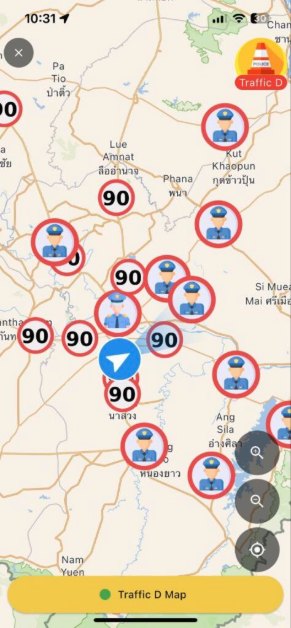
Spot police checkpoints, traffic jams, road closures, accidents and protests around you. Report one yourself in a few taps.
Police checkpoints, traffic jams, road closures, accidents and live CCTV on one map. Plan your trip and save time on Thai roads.
Free · iPhone and Android · PRO plan for extra features
Swipe through real screens of the Traffic D app
A checkpoint app that brings together police checkpoints, traffic and road incidents reported by Traffic D users across Thailand, with CCTV cameras and a map made for Thai roads.
Spot police checkpoints, traffic jams, road closures, accidents and protests around you. Report one yourself in a few taps.
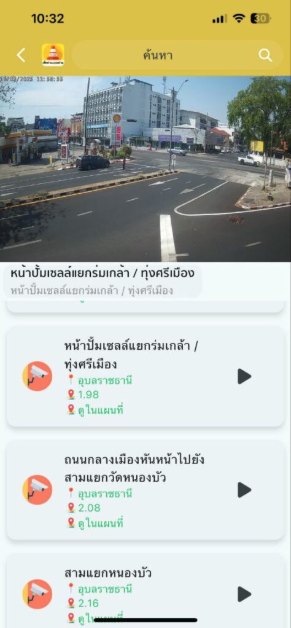
Watch live cameras at junctions and main roads. Pick a province or see the cameras closest to you.
Turn-by-turn navigation with a voice alert when you approach a checkpoint or an incident on your route.
Talk with other drivers near you and share what is happening on the road right now.
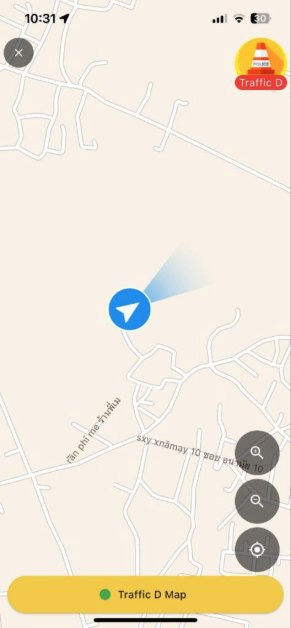
Traffic D’s signature green main roads, place icons, traffic lights and area names at every zoom level.
Find petrol stations, EV chargers and parking nearby, shown by brand so you can choose quickly.
Install it free from the App Store or Google Play and sign in.
Allow location access and the app shows checkpoints, incidents and cameras around you.
Seen something on the road? Report it. Every report helps other drivers get there faster.
Traffic D is a police checkpoint and live traffic app for Thailand. Drivers report checkpoints, traffic jams, road closures and accidents on the map so everyone sees them right away, and you can watch live traffic CCTV in many provinces.
Open Traffic D and allow location access. The map shows checkpoints and incidents around you, or use the nearby search to list the closest ones.
Yes. While you drive, the app alerts you when you approach a checkpoint or a reported spot on your route, so you know in advance.
From Traffic D users all over Thailand, reporting throughout the day. Other users confirm whether a checkpoint is still there or gone, so the map stays up to date.
It is free to download on iPhone from the App Store and on Android from Google Play. A PRO plan adds extra features.
Works on iPhone and Android. On your phone, tap a button. On a computer, scan the QR code with your phone camera.